Call the REST API
REST API quickstart
Create a key, make a call, page through results.
- 1
Start a plan and create an API key
On Account → AI & API, start Standard or Premium, then under API keys name a key and click Create. Copy it now: it is shown once. Keys start withfdi_ak_.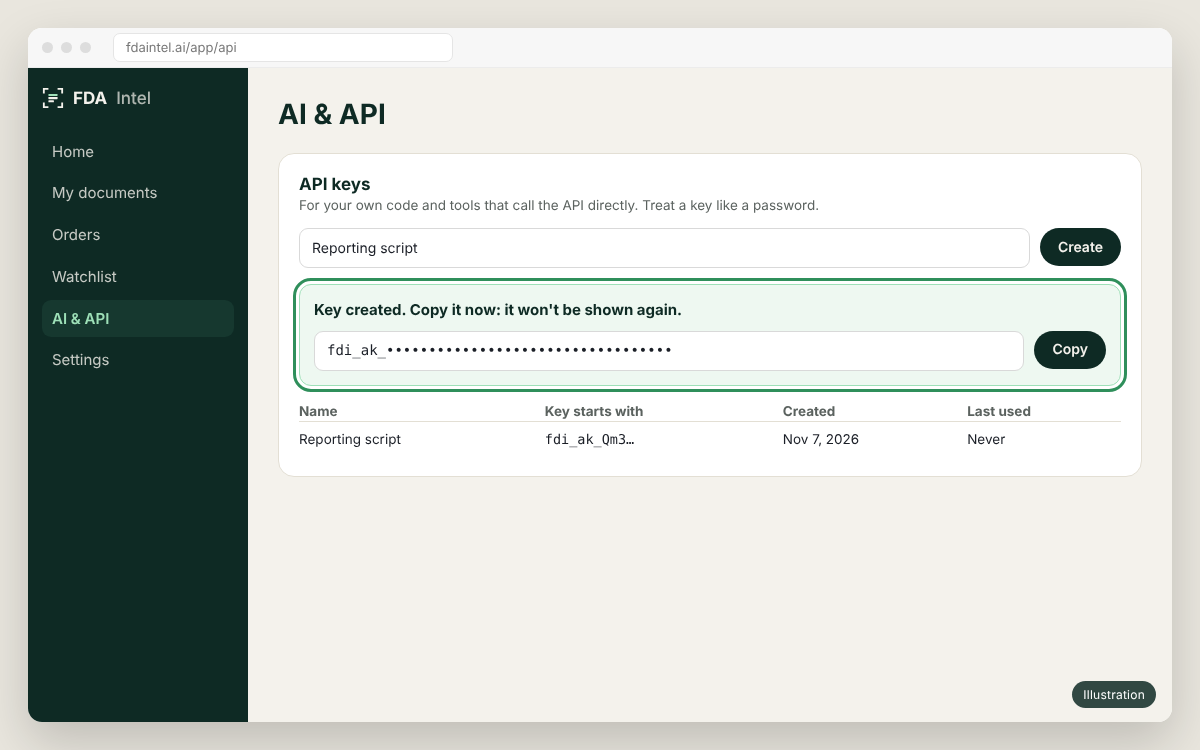
Illustration of the app's screen. Menu names can differ slightly between versions. - 2
Keep the key in an environment variable
Never put a key in code, a URL or a chat.Terminalexport FDA_INTEL_API_KEY=fdi_ak_…
Make your first call#
Form 483s and warning letters for one site (FEI) since 2020:
curl "https://fdaintel.ai/api/intel/v1/documents?fei=3001234567&doc_type=483%2Cwarning_letter&date_from=2020&limit=10" \
  -H "Authorization: Bearer $FDA_INTEL_API_KEY"
Page through results#
Lists return next_offset. Call again with offset=next_offset until it is null.
async function all(url) {
  const out = [];
  for (let offset = 0; offset !== null;) {
    const res = await fetch(`${url}&offset=${offset}`, { headers: { Authorization: `Bearer ${process.env.FDA_INTEL_API_KEY}` } });
    const page = await res.json();
    out.push(...page.results);
    offset = page.next_offset;
  }
  return out;
}

await all("https://fdaintel.ai/api/intel/v1/documents?fei=3001234567&limit=100");Next#
- REST reference with a try-it panel for every endpoint.
- Plans and limits and the usage headers.
- Errors.