Connect your AI (MCP)
Connect FDA Intel to ChatGPT
Add FDA Intel to ChatGPT as a custom connector, for chats and deep research. On business and enterprise workspaces an admin may need to add it first.
- 1
Start a plan and copy your MCP address
Sign in to FDA Intel, open Account → AI & API and start Standard or Premium. The page shows your MCP address with a copy button.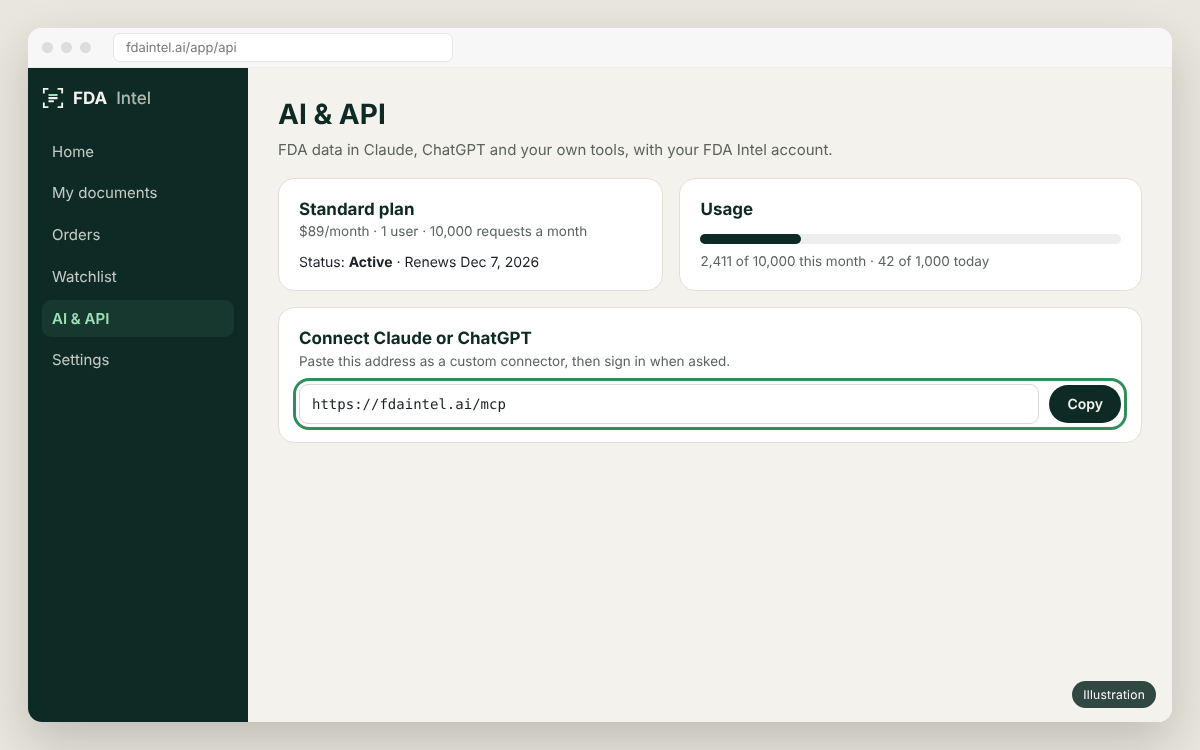
Illustration of the app's screen. Menu names can differ slightly between versions. - 2
Turn on developer mode
In ChatGPT open Settings → Apps & Connectors → Advanced settings and turn on Developer mode. Custom connectors need a plan where OpenAI allows them (Plus, Pro, Business, Enterprise, Edu); on workspaces the admin controls this.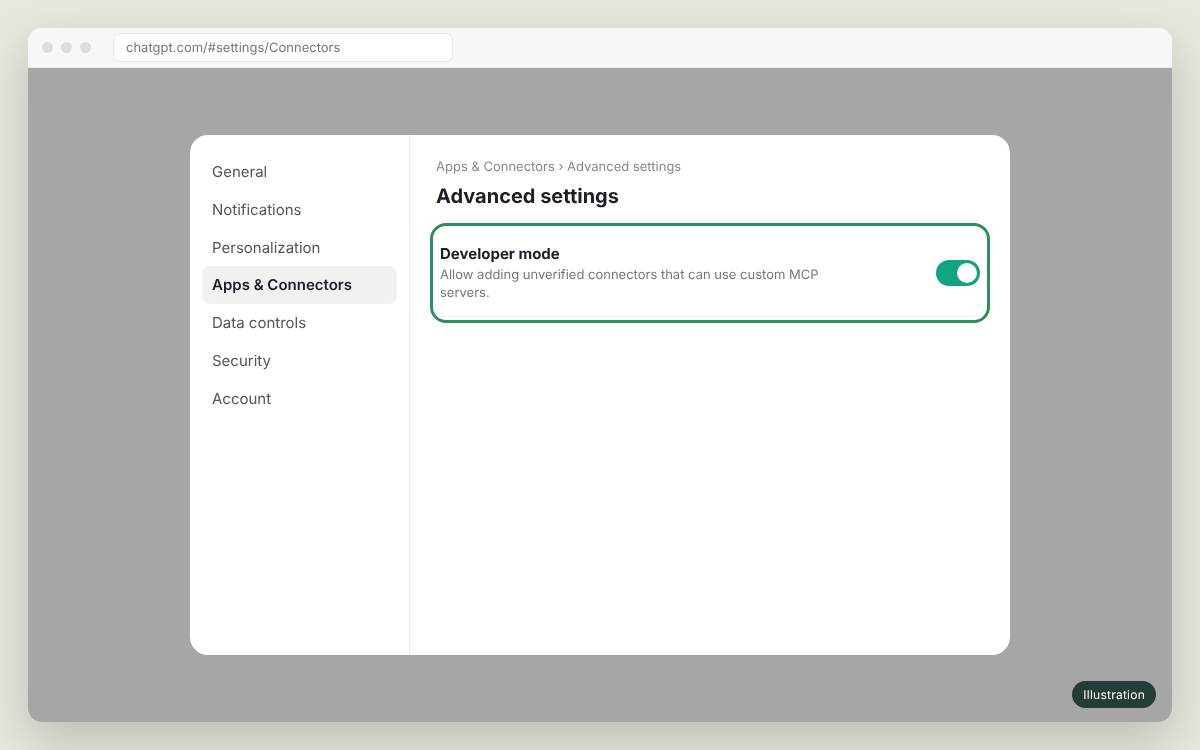
Illustration of the app's screen. Menu names can differ slightly between versions. - 3
Create the connector
Back in Apps & Connectors click Create. Name:FDA Intel. Description:FDA inspection data. MCP server URL:https://fdaintel.ai/mcp. Authentication: OAuth. Tick "I trust this application" and click Create.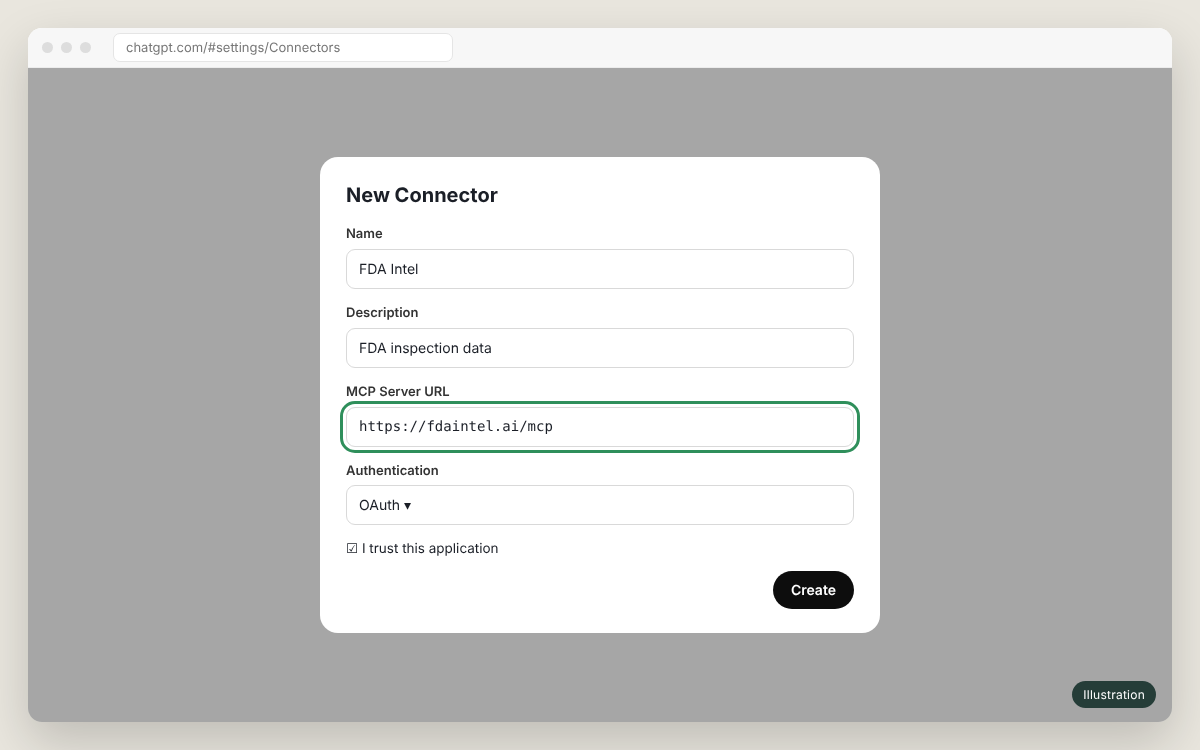
Illustration of the app's screen. Menu names can differ slightly between versions. - 4
Sign in to FDA Intel and allow read-only access
A FDA Intel window opens. Sign in if asked, check the app name and click Allow. The app gets read-only access; you can disconnect it at any time on your account page.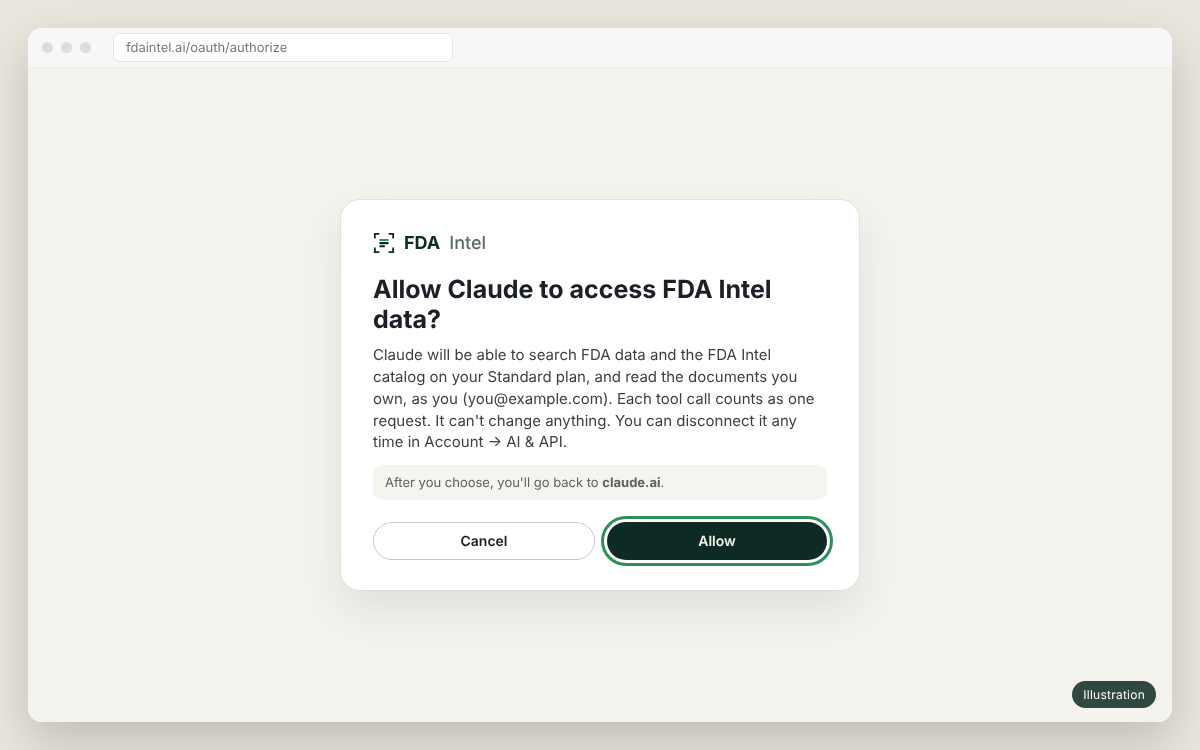
Illustration of the app's screen. Menu names can differ slightly between versions. - 5
Use it in a chat or in deep research
In a new chat click +, choose the connector (under Developer mode or More) and ask. It also works in Deep research: select FDA Intel as a source.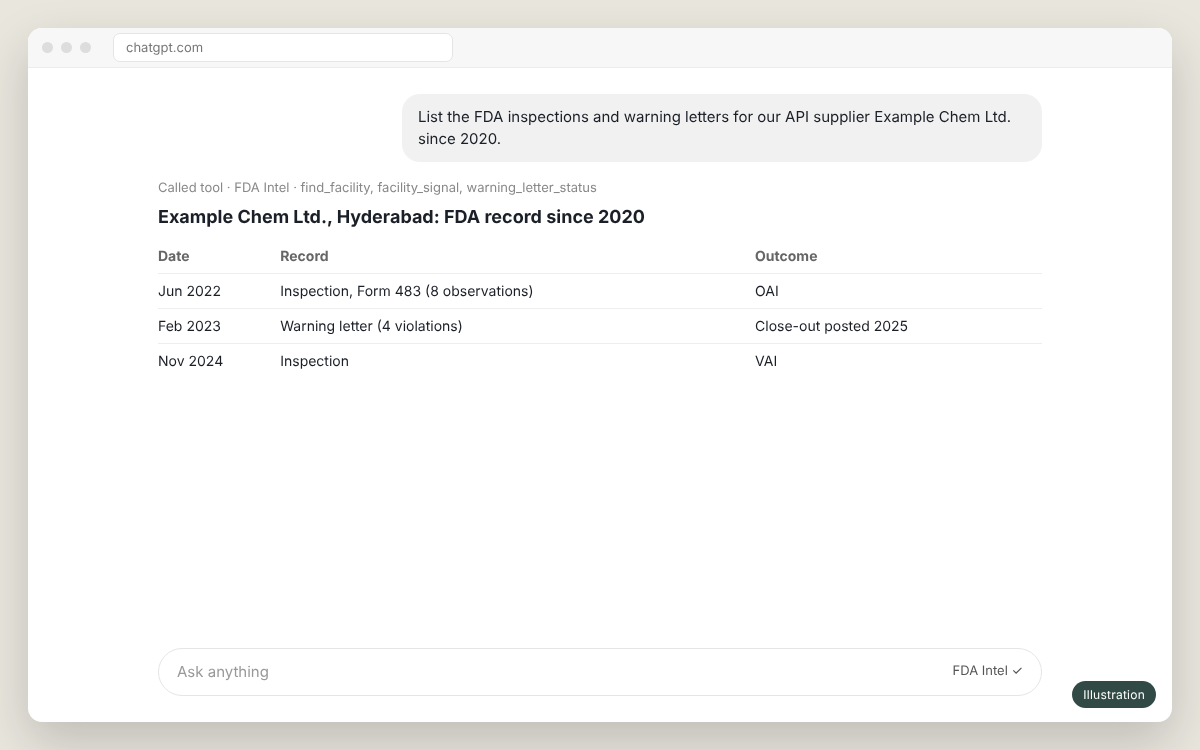
Illustration of the app's screen. Menu names can differ slightly between versions.
Something not working?
See the FAQ, or email us with the time and the client you used. Never send your API key.